If you are using an outdated (8.0 or earlier) version of GameMaker, and are trying to utilize examples and snippets from more recent versions, or creating systems that are intended to work correctly across multiple versions, this is going to be useful.
Continue reading
Monthly Archives: September 2012
GameMaker: View following two objects at once
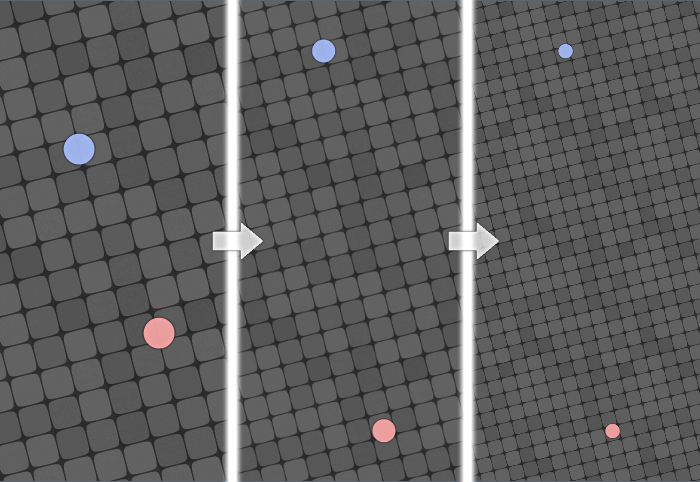
Effect here is, that view is positioned and scaled (if needed), to include two given instances at once.
Example provides a single function that does this sort of trick for you, absolutely painlessly and easily.
GameMaker: Connectable objects

I'm not a specialist on topic of weird helicopters, but this looks like one.
This secretly awesome example provides a system to 'connect' objects together, meaning that 'child' objects will be positioned relative to their 'parent' in means of both position and rotation.
Also you can (in turn) also make those 'child' objects 'connectors', meaning potentially infinite number of 'levels' of instances behaving separately.
For ones that might have this example from my old website, it is worth checking out again, since it has been rewritten almost completely, delivering quite cleaner naming, as well as easier access to child object properties, and some optimizations.
This example can be particularly useful for games involving 'modular' vehicles, as well as multi-object bosses.
GameMaker: Tower defense path-finding
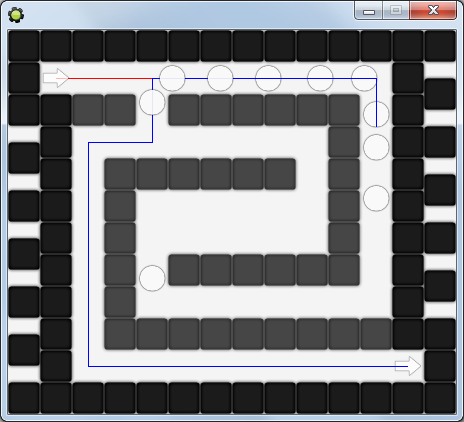
Most of units turning back to take advantage of appearing hole in the maze
This example may be useful for ones making games of Tower Defense genre, as well as other games that require instances to dynamically re-adjust their path as new obstacles are being added.
System, included in this example, recalculates paths only when needed, thus providing minimum resource usage.
As well it detects if units have been blocked (to exclude possibility of cheating by enclosing units), and has a lesser sub-system to recycle & reuse paths.
Overall, should be intermediately useful.
GameMaker: Pointing to an off-screen object
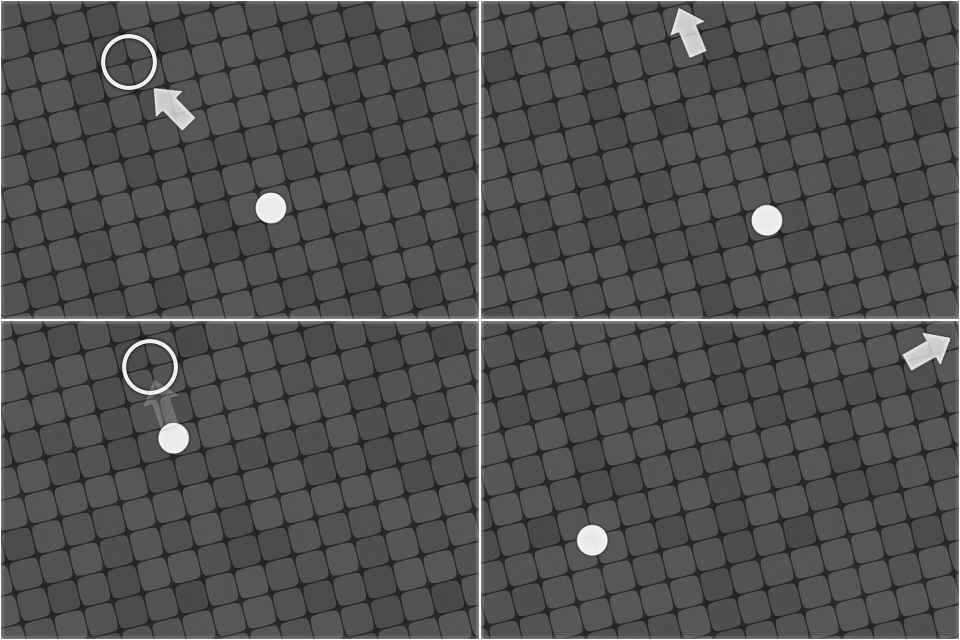
Illustration
Such feature is specifically useful for exploration games, where goal(s) may be at different distance from player, and some guidance is required.
Source code follows,
Continue reading